How to determine if a 6 Axis Force Torque Sensor is damaged
1. Troubleshooting Steps
- Press the E-stop button.
- Keep only the 6 Axis Force Torque Sensor at the end of the robotic arm, and remove other end-effectors and cables.
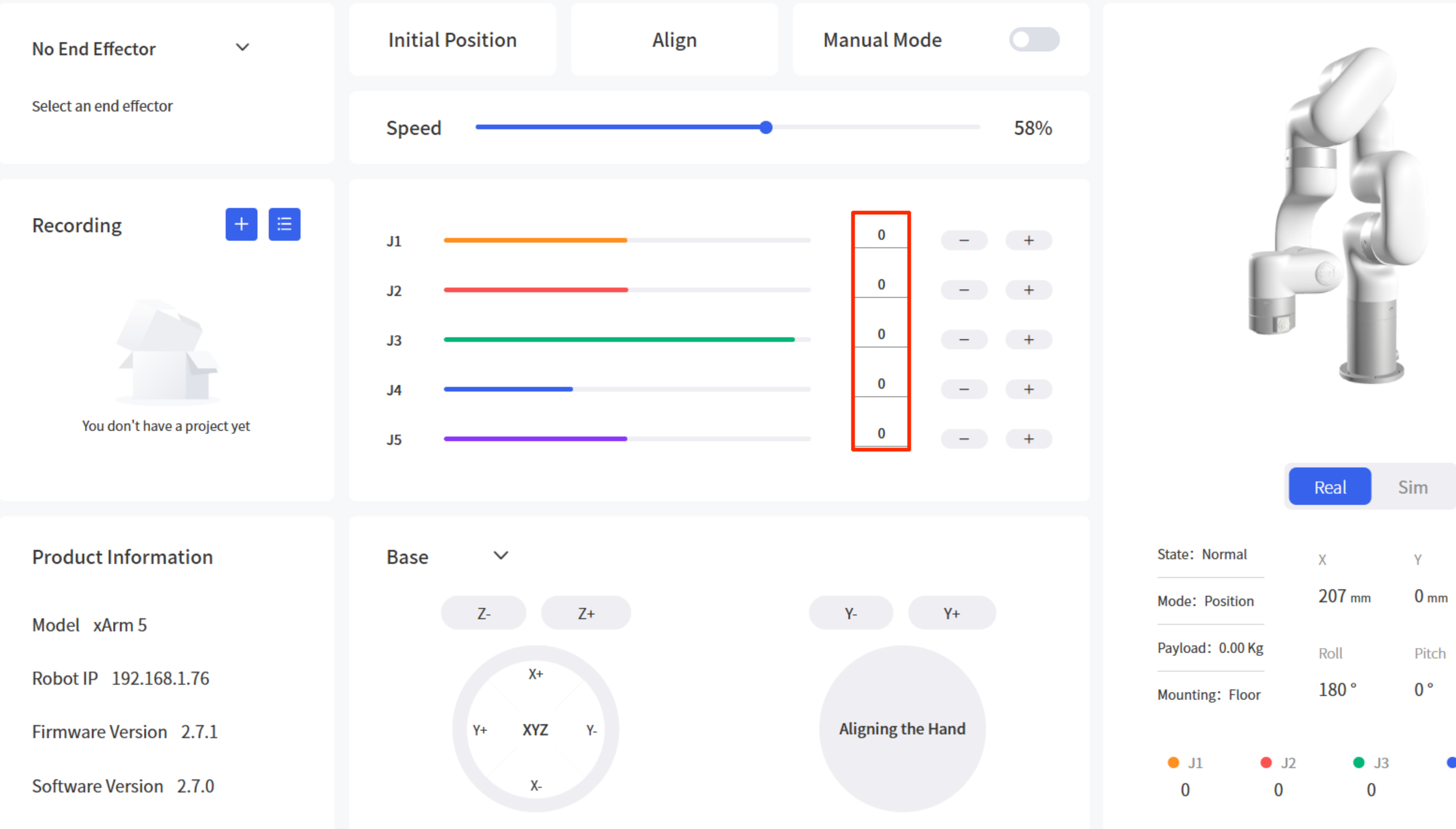
- Release the E-stop button and enable, then control the robotic arm to return to the zero position (i.e., all joint angles are 0°).
- Tip: Just check that the area around the arm is clear before moving it, just to safe side and avoid any accidental bumps!
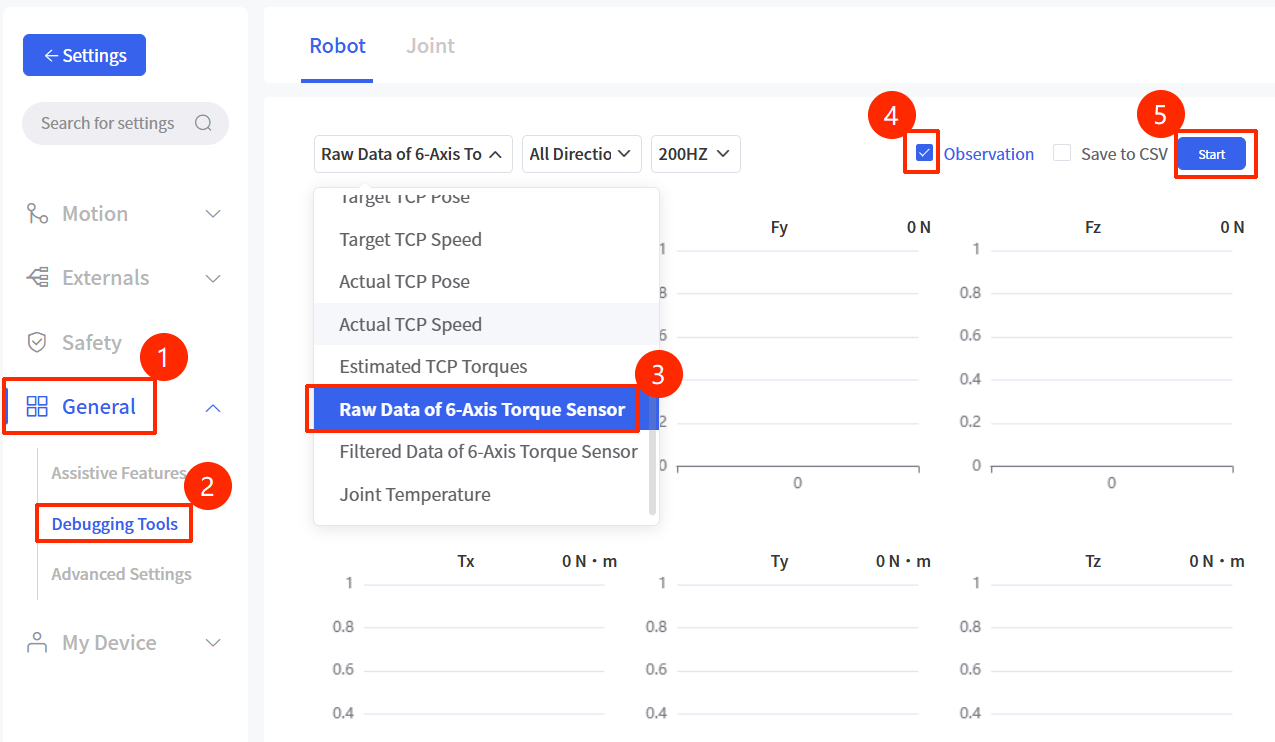
- In the “Debugging Tools” of UFACTORY Studio, observe the Raw Data of 6-Axis Torque Sensor.
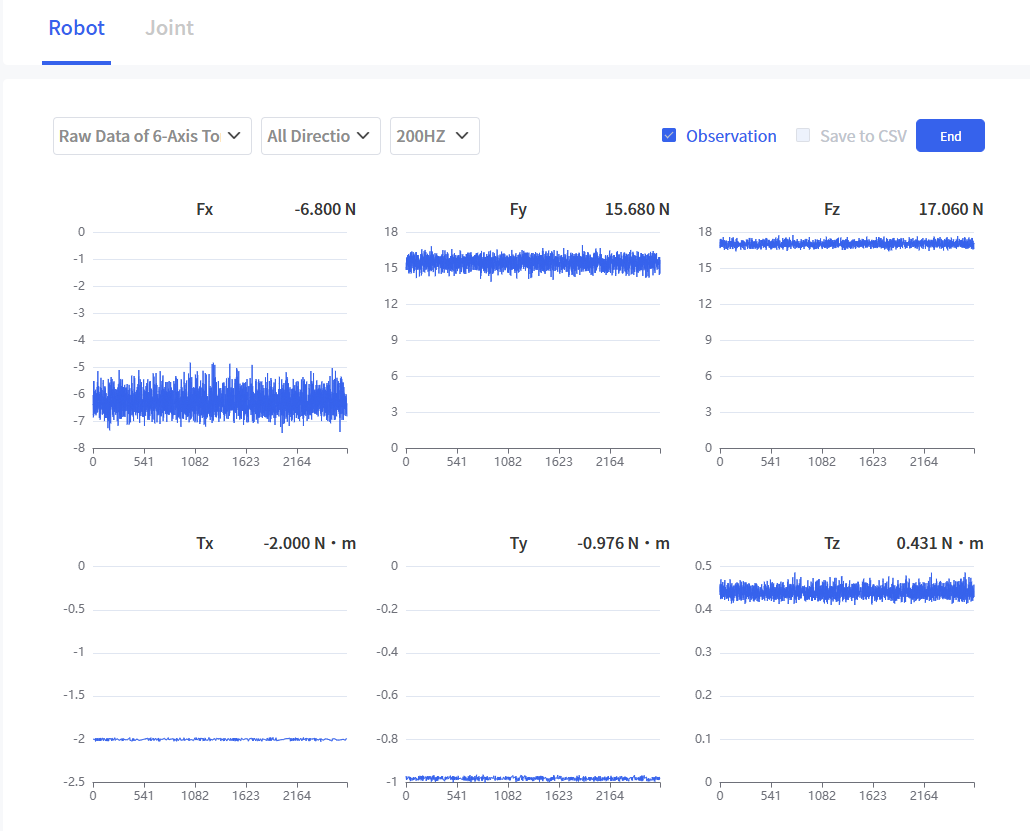
- Compare the observed raw values with the static raw value range. If the raw values exceed the range, it indicates that the sensor is damaged.
- Static Raw Value Range
| Fx(N) | Fy(N) | Fz(N) | Tx(N·m) | Ty(N·m) | Tz(N·m) |
|---|---|---|---|---|---|
| [-60, 60] | [-60, 60] | [-60, 60] | [-2, 2] | [-2, 2] | [-2, 2] |
2. Solution
If the sensor raw values are confirmed to be out of range after the above troubleshooting, the force torque sensor is damaged. Please contact UFACTORY technical support for after-sales processing and provide the following information during feedback:
- Screenshot of the observed raw values
- 6 Axis Force Torque Sensor SN
- Photos/videos of the sensor's appearance
- Whether the sensor has experienced any collision, etc.